
all creators

Soojin | Tech & AI

@soojintech · tech, coding, ai tools

open on instagram

✿ navigating AI is less scary here ✿ software engineer 📍nyc 🎓upenn ✿ soojinmedia@gmail.com

http://beacons.ai/soojintech

73K followers
3 reels read
25.1x best outlier
20.9x typical
945K views in here
24 Jun 2026 newest

how they make themuseful concept, visual proof, right length, onscreen text, friendly presenter, clear visual context, upbeat audio, big text hook

soojinsoojintechsoftware developerapp developmentbuild an appcursor aicoding tutorialtravel vlogflight routinetech vlogsoftware engineerphoto calendar appproductivityai toolsfemale foundersoojin | tech & aiclaude codecoding tipsstatus bar setupterminal trickai coding tutorialvibe codingprogramming hacksdeveloper workflow

3 reels in the database, most viral first

1

@soojintech Soojin | Tech & AI · 24 Jun 2026

25.1x outlier

A tech creator shows how she built a photo calendar app on her phone during a cross-country flight.

392K views
1.5K likes
100 comments
324 shares
52 saves
73K followers
52s long
0.4% liked
hookThe video stops scrollers by promising to show how to build an app while flying in an airplane.
  • Friendly presenter. A young woman waves directly at the camera inside a dimly lit airplane cabin.
  • Clear visual context. Bright airport and airplane scenes immediately establish a fun travel theme.
  • Upbeat audio. Cheerful original voiceover and light background audio set an energetic tone.
  • Big text hook. Bold text asks the viewer to come build an app with her on her flight.
  • Broad subject. Anyone interested in travel, technology, or creative side projects will stay to watch.
retainFast cuts and clear step-by-step progress show how the app was created from start to finish.
  • Useful concept. The creator solves a common problem by turning forgotten camera roll photos into a shared calendar.
  • Visual proof. Screen recordings of the code tools and the finished app show real results.
  • Fast pacing. The video uses 55 shots in 52.2 seconds, switching views about every 0.9 seconds.
  • Simple workflow. Showing her sketch designs, connect to Wi-Fi, and run code makes the story easy to follow.
  • Right length. The brief video packs a complete project story into under one minute.
rewardViewers leave feeling inspired to turn their own ideas into real apps using modern coding tools.
  • Inspired to create. Viewers realize they can make software tools from anywhere using a phone.
  • Taught a method. Viewers learn that AI coding assistants can build apps while you travel.
  • Satisfying result. Seeing a finished app created in just one flight feels rewarding.
  • Warm aesthetic. Pretty travel scenes and friend photos make coding look fun and social.
soojinsoojintechapp developmentbuild an appcursor aicoding tutorialtravel vlogflight routinetech vlogsoftware engineerphoto calendar appproductivityai toolsfemale founder

How to Build an app on a flight? ✈️ I take a lot of photos but most of them just sit in my camera roll. So I built “moments” a photo calendar where you log daily photos, decorate, and share them with friends. 6 months ago, if someone told me you could build an app from your phone, I wouldn’t have believed it. Now with @trycursor you can build anything, anywhere — even on the flight, right from your phone. Comment “build” and I’ll send you a link to try it 👇 #vibecoding #buildinpublic #aicoding #cursor #ad

watch on instagram

2

@soojintech Soojin | Tech & AI · 9 Apr 2026

20.9x outlier

Soojin shows how to set up a custom status line in Claude Code to track your folder, git branch, context usage, and model automatically.

325K views
6.8K likes
4.1K comments
3.5K shares
9.6K saves
73K followers
46s long
2.1% liked
hookA clear screen display showing a code terminal alongside a friendly presenter instantly captures developers seeking AI coding tips.
  • Presenter look. Soojin wears a simple white top and holds a small microphone near her face.
  • Setting and light. She stands in a brightly lit modern apartment room with warm lighting.
  • Audio sound. Clear spoken voice audio plays right away as she talks to the camera.
  • Onscreen text. Bold black text reads 'see this bar' under a terminal status graphic.
  • Broad audience. The topic appeals to anyone using AI tools to help write code.
retainThe clear step by step breakdown of four useful status bar features keeps viewers engaged until the final command prompt.
  • Useful concept. She shows how to stop typing extra commands to check your session status.
  • Visual proof. Red circles highlight each section of the status bar as she points them out.
  • Enthusiastic tone. Soojin speaks directly and warmly to explain each feature clearly.
  • Pacing and cuts. There are 8 shots in 46.3 seconds, with a shot change roughly every 5.8 seconds.
  • Simple steps. She shows the exact command to type in the terminal near the end.
  • Right length. The short duration covers all four points without dragging.
rewardViewers learn a practical trick to make their AI coding workflow faster and more organized.
  • Taught a trick. Viewers learn how to customize their terminal status bar in Claude Code.
  • Inspired action. People feel motivated to update their own coding setup right away.
  • Saved time. Viewers see how to avoid typing repetitive status commands while working.
soojin | tech & aisoojintechclaude codecoding tipsstatus bar setupterminal trickai coding tutorialsoftware developervibe codingprogramming hacksdeveloper workflowstatusline setup

(Tutorial) Claude Code Status Line #claudecode #claude #vibecoding

watch on instagram
3

@soojintech Soojin | Tech & AI · 14 Mar 2026

14.6x outlier

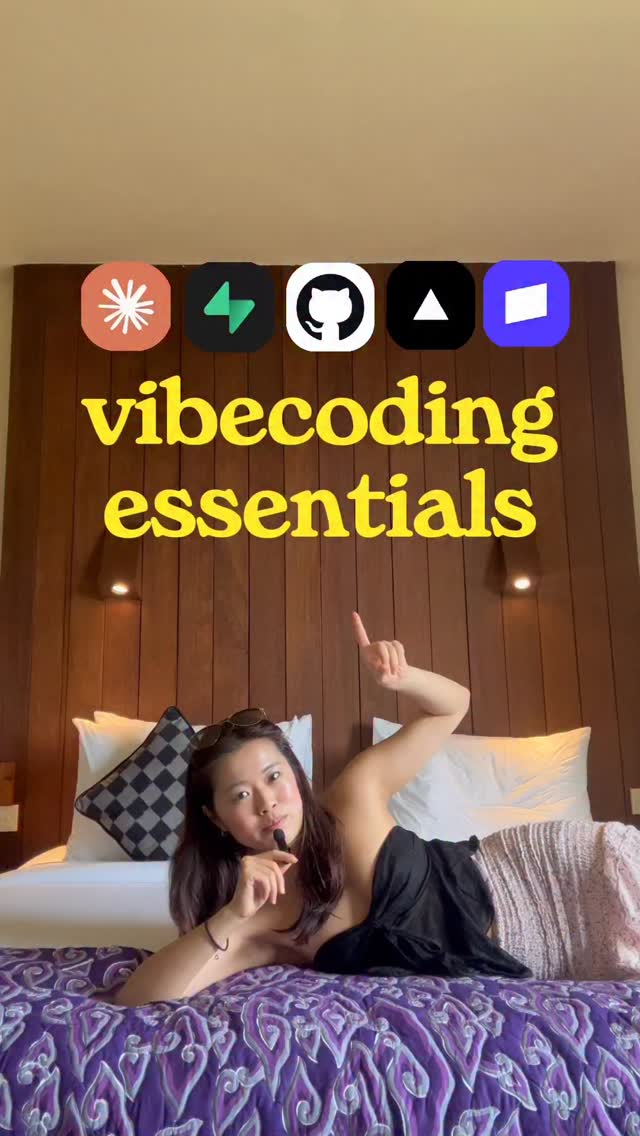
A woman shares her favorite coding tools while posing in different spots around her room.

228K views
5.8K likes
101 comments
3.9K shares
7.4K saves
73K followers
8s long
2.5% liked
hookA woman holds a tiny microphone and points to bright tech icons floating above her head.
  • Visual setup. A woman speaks into a tiny black microphone in a warm bright room.
  • Audio track. Soft gentle music plays quietly in the background.
  • Onscreen text. Bold text and app logos pop up over her head.
  • Audience reach. Anyone who wants to build apps or start a business will stop to watch.
retainQuick scene changes and funny poses keep the energy high as she names each tool.
  • Useful tips. She shows the simple tools she uses to make web apps.
  • Fast cuts. The clip uses 9 shots in 8.2 seconds, changing scenes every 0.9 seconds.
  • Silly props. She holds a tiny pot of green grass while naming a developer tool.
  • Relaxed energy. She poses on a bed and on a balcony to make coding feel easy.
  • Short length. The lesson is quick and finishes in under ten seconds.
rewardViewers learn a quick setup for building software and feel inspired to start their own project.
  • Useful list. Viewers learn about helpful software tools for app building.
  • Motivation to start. The clip makes coding look simple and fun to try.
  • Calm feeling. The peaceful background music makes tech work feel stress free.
soojintech toolssoftware developerapp buildingcoding stackvibecodingtech stacksolopreneurprogramming tipsdeveloper toolsweb developmentfast editinghotel lifestyletech advice

Vibecoding Tech-Stack 🚀#vibecoding #aiengineer #solopreneur

watch on instagram